What is a system restore on Windows and how can it help?
Published · updated
Use System Restore to make restore points when you install a new app, driver, or Windows update and when you create a restore point manually. Restoring won’t affect your files, but it will remove apps, drivers, and updates installed after the restore point. To go back to a restore point:
Select the Windows key, type Control Panel in the search box next to the Start button on the taskbar and select Control Panel(Desktop app) from the results.
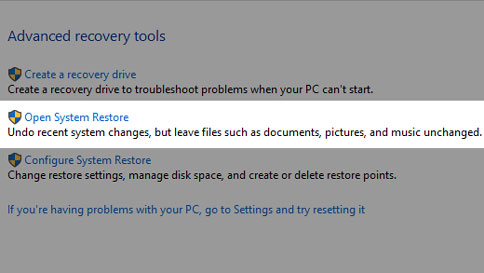
Search Control Panel for Recovery, and select Recovery>Open System Restore>Next.
Choose the restore point related to the problematic app, driver, or update, and then select Next>Finish.